
Features
Everything a live exercise needs, from the first slide to the report
Tactirun covers the whole exercise: writing the scenario, running it with a room of participants, and taking the results away. This page lists what the product does today.
Slides and authoring
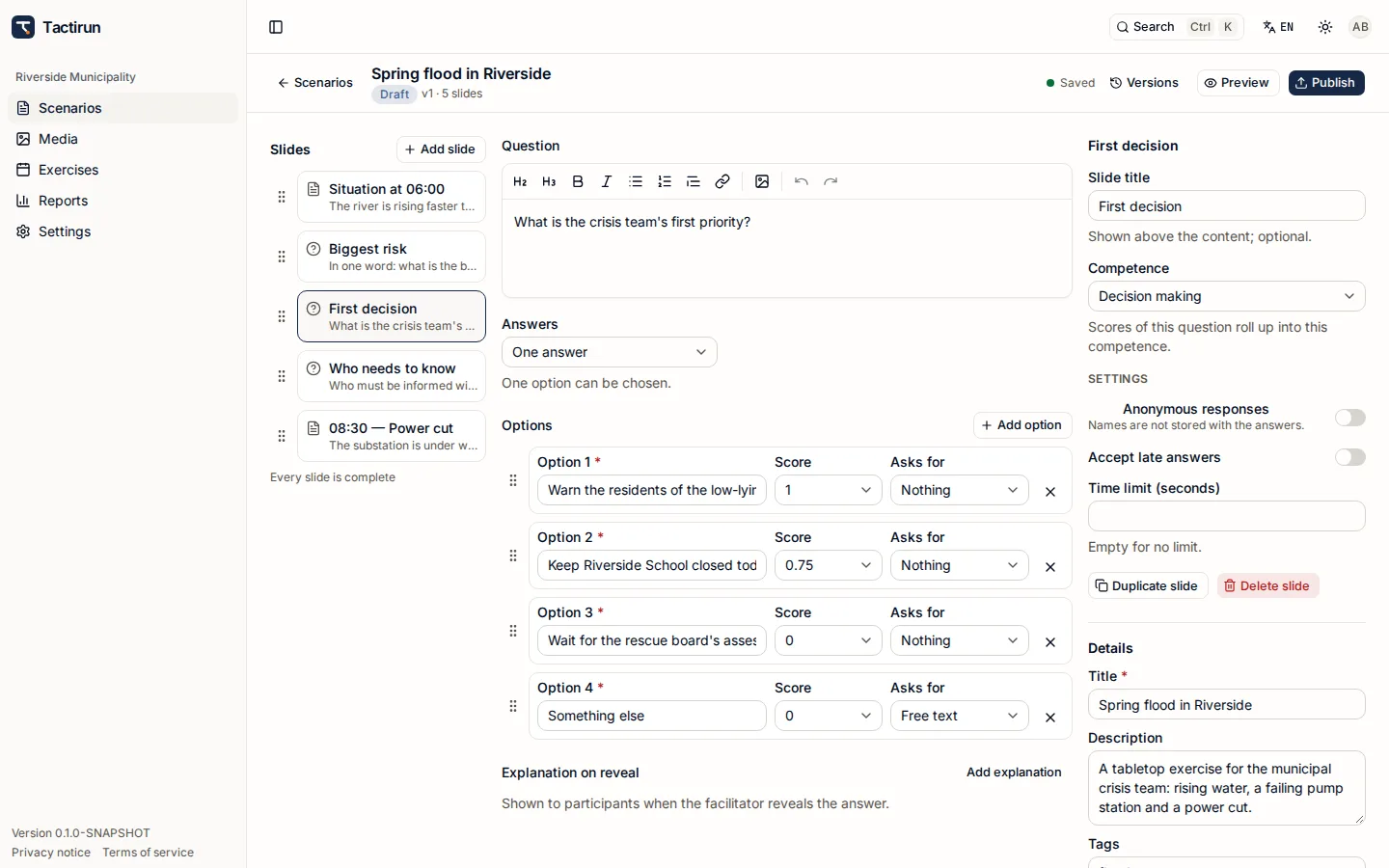
A scenario is a deck of typed slides. Authors write it in Studio; facilitators run it.
- Two slide kinds: content slides and question slides. Text has headings, lists, links and quotes; pictures come from the organisation's media library and always carry alternative text.
- Questions take one answer or several. An option can ask for a word or a written answer, carries a score between 0 and 1, and a question can be left open with no right answer.
- A shared media library per organisation, with per-kind upload limits and a storage quota.
- Draft and published versions with a change note. Publishing checks every slide; a run keeps the version it was scheduled with, so later edits never change an exercise under way.
- Link question slides to the organisation's competences so answers feed the competence radar.
- Members are invited by e-mail and work in roles — owner, administrator, author, facilitator and viewer.
Live delivery and the Room
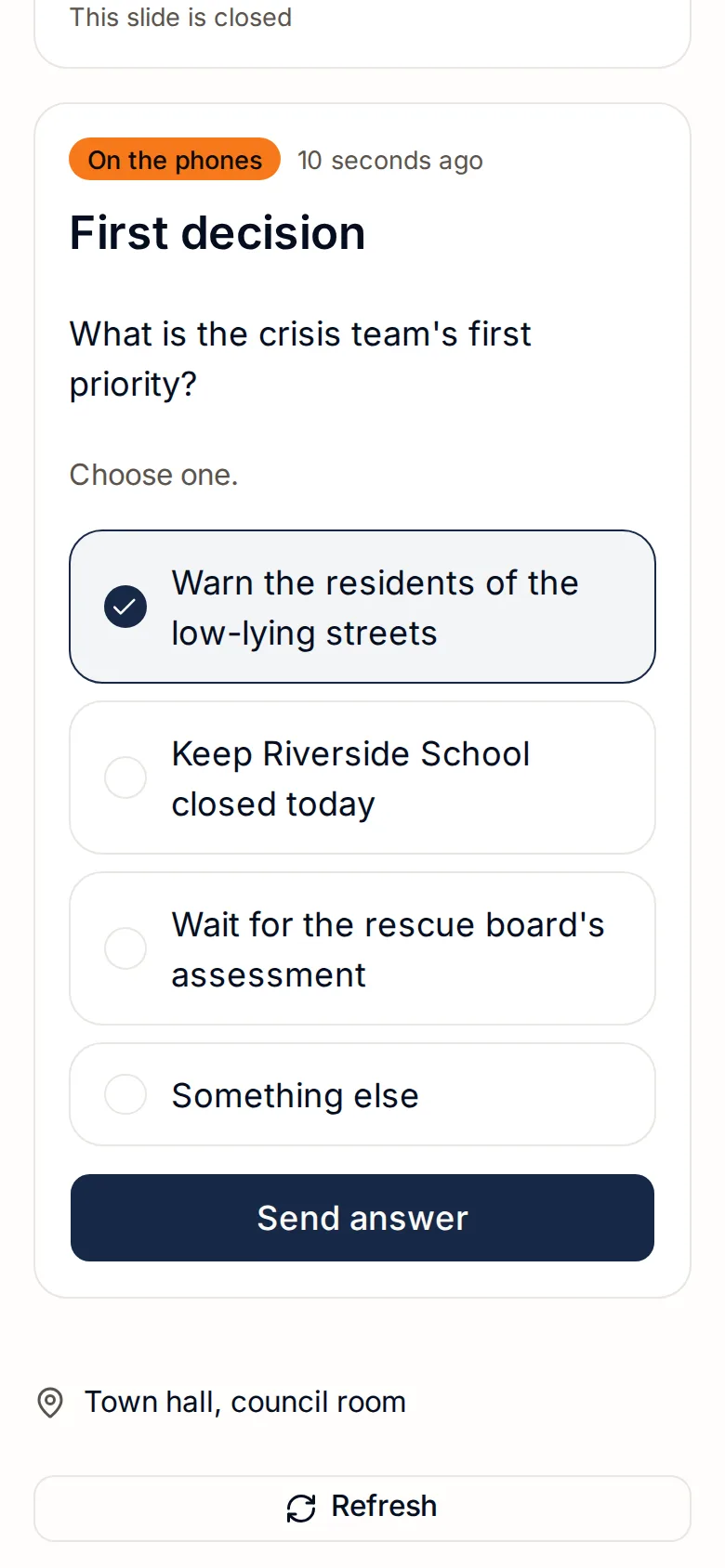
The facilitator decides what the room sees and when. Participants follow on their own phones.
- Participants join with a 6-character code or the QR code on the projector, optionally protected with a 4–6-digit PIN — or with a personal link sent by e-mail, valid 14 days. Nobody needs an account.
- Add participants one by one, import them from a CSV file, or let them fill in a short form when they join. Close joining or cap the number of participants at any time.
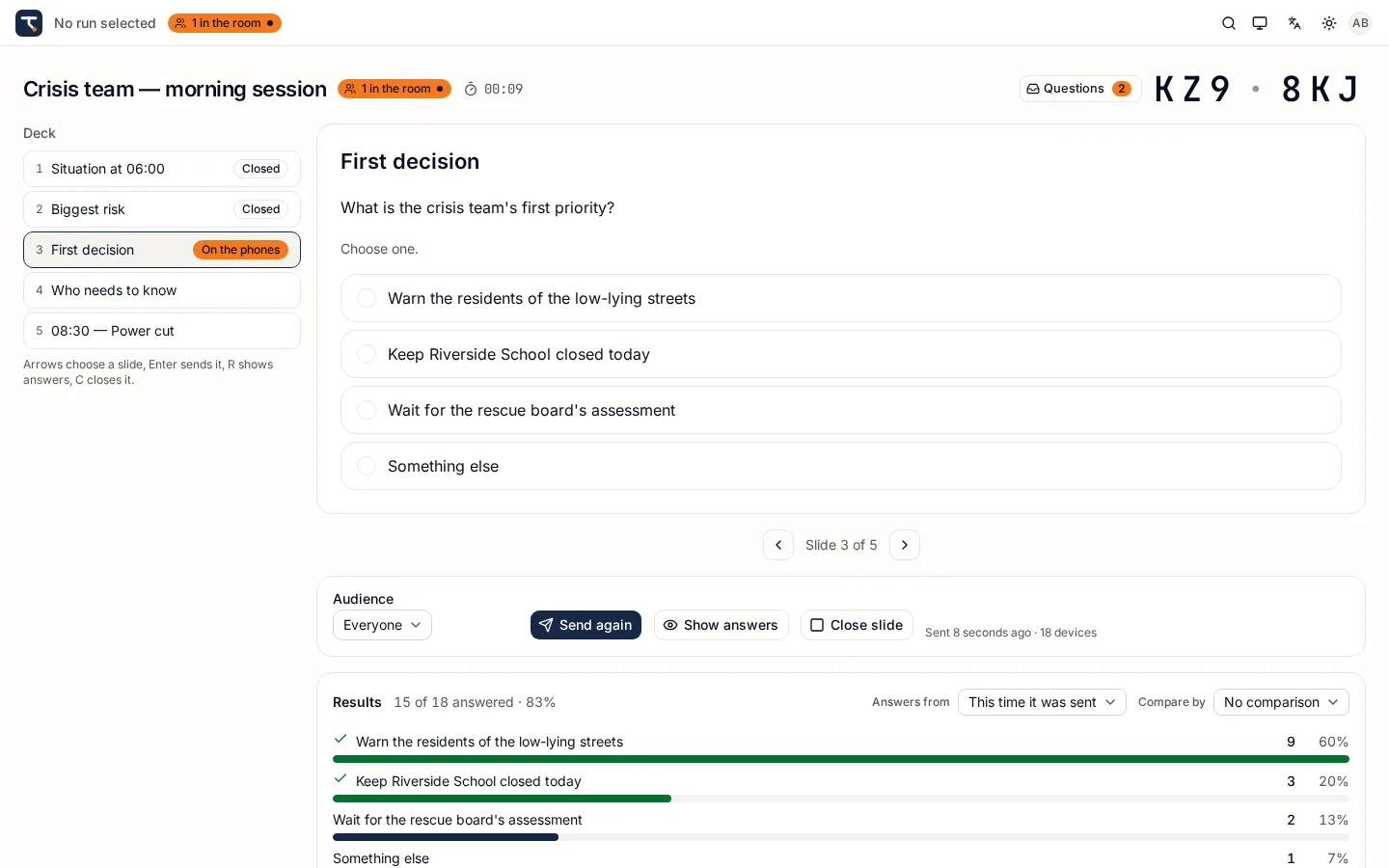
- Send a slide to everyone, to a segment (for example everyone from one region) or to named people. Reveal the correct answers, close the slide, send it again, or post an announcement.
- A projector view shows the join code and a QR code; the Console shows how many devices are connected, and observers get a read-only Console.
- The Room is built for phones from 360 px wide and for unreliable Wi-Fi: it reconnects and fetches whatever it missed. Answers are saved as drafts while people type. Tested with 300 devices in one run.
- Every change in a run is recorded in order, so a device that was offline catches up exactly.
Answers and live results
Answers are counted as they arrive, for the whole room or for any part of it.
- For each question: how many answered out of how many were reached, counts per option, one-word answers gathered and counted, and the written answers.
- Group the results by any attribute you have marked for comparison, roll institutions up to a higher level, and filter to the people you are interested in.
- Share the results with the room after the reveal if you choose — the room sees counts only, never words or written answers.
- Allow late answers per slide when some people need more time.
Questions to facilitators
Participants often have questions they would not ask out loud.
- Each participant has one conversation with the facilitators of the run, from their phone.
- Facilitators share an inbox with unread counts; any of them can reply.
- Observers can read along without being able to change anything.
Assessment and the competence radar
Turn answers into feedback on the competences your organisation defines.
- Rate a submitted answer, or a person on a competence directly, on a 5-step scale with a comment. A facilitator's rating replaces the automatic score.
- The competence radar shows the mean per competence with how much of it was actually covered — for the whole run, per group, or for one participant.
- Decide which assessments participants may see, and whether they get their own radar and their own PDF when the run ends.
Reports and exports
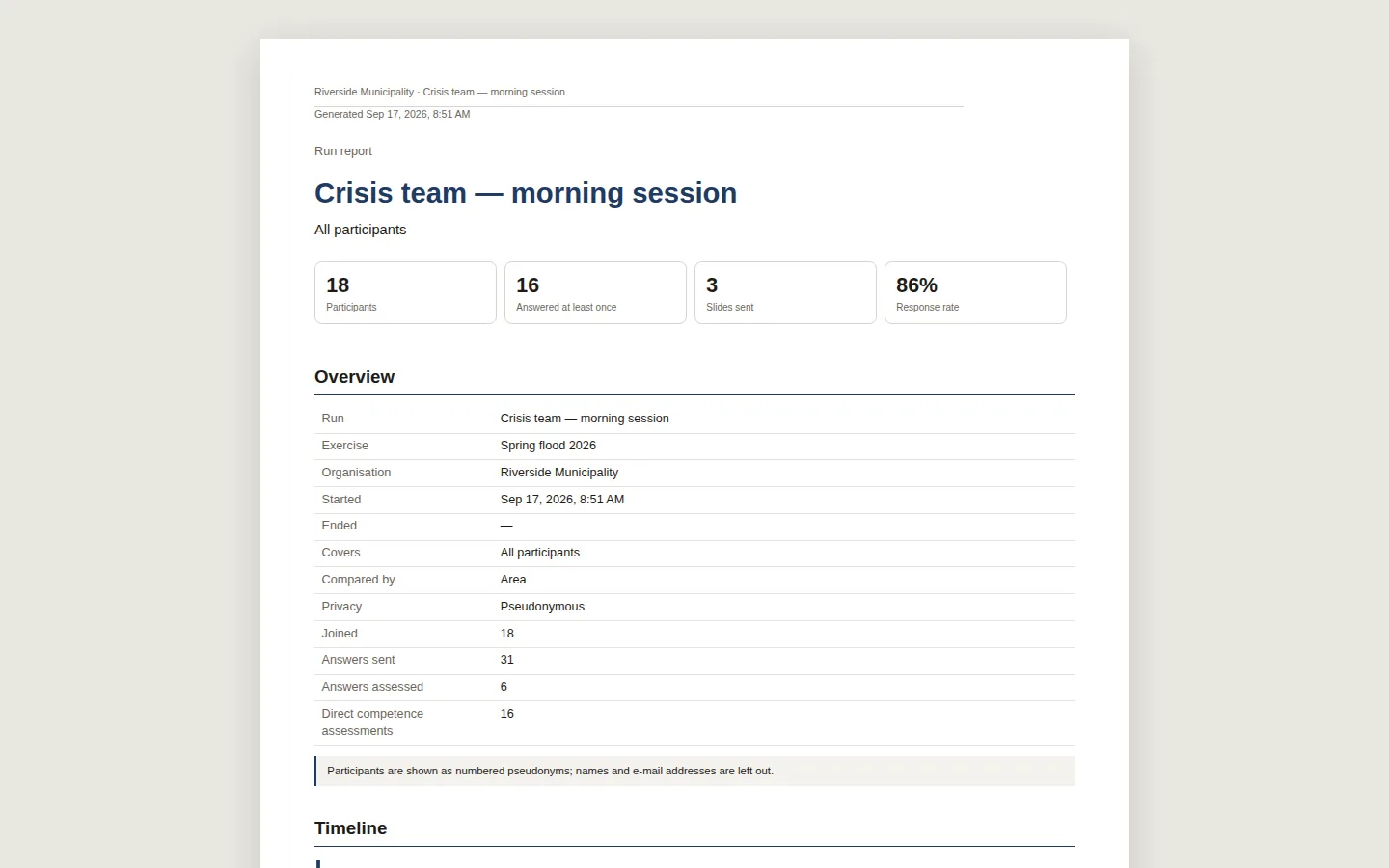
One report, three formats, and privacy you choose per report.
- PDF for reading and archiving: tagged for accessibility (PDF/UA, PDF/A-3u), with your logo, bookmarks per section, and every chart repeated as a table of the same numbers.
- XLSX with one sheet per topic, and CSV with one row per answer — both safe to open in a spreadsheet.
- Three privacy levels: named, pseudonymous and anonymous. Anonymous reports merge groups smaller than a minimum you set (default 3).
- Report on a whole run, a segment or one participant; choose the sections, a breakdown attribute, a watermark, and Estonian and English.
- Preview before generating. Reports are generated in the background and kept for 30 days; a share link works for 24 hours.
- Organisation branding and report defaults are settings: logo, accent colour, footer text, default privacy level.
Attributes and audiences
Everything you want to know about participants is an attribute you define — nothing is hard-coded.
- Attribute types: text, one choice, several choices, number, yes / no and institution. Mark an attribute required, comparable in results, or asked when joining.
- Define attributes for the whole organisation, or add and override them for one exercise.
- Keep a catalogue of your institutions as a hierarchy, so results can be rolled up from units to departments.
- Audiences are everyone, a segment described by attribute conditions, or named people.
Estonian and English
Tactirun was built for courses and exercises where people work in more than one language.
- Studio, Console and Room are fully available in Estonian and English; each person chooses their language.
- Participants can switch the Room's language on their phone at any time.
- Reports are generated in Estonian and English, whatever language the facilitator works in.
- Runs in current versions of Chrome, Edge, Firefox and Safari — no app to install.
Planning an exercise or a training course?
Tell us how many people take part and whether you want Tactirun hosted or on your own servers. We reply with a quote and, if you like, a walkthrough.